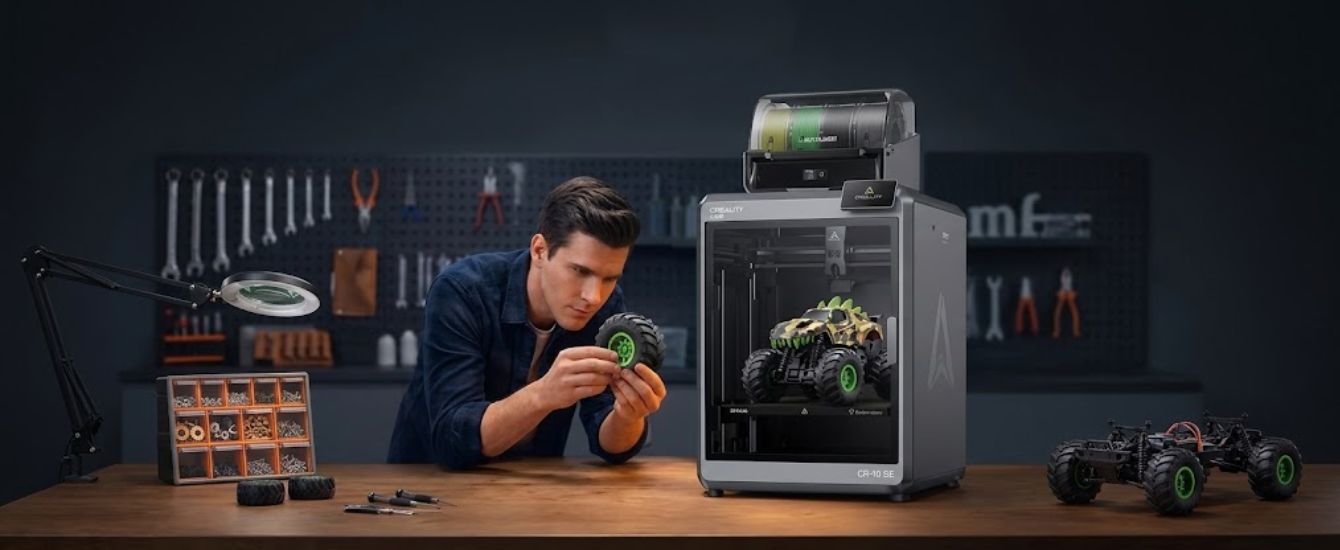
Getting started with 3D printing can feel overwhelming when you have to compare printing technologies, machine sizes, materials, and features. A beginner may want a straightforward printer for small projects, while an experienced maker might need a larger machine with faster printing and more advanced capabilities. Choosing the wrong equipment can lead to unnecessary expenses and limitations later.
Creality offers several options for different experience levels, from beginner-friendly machines to advanced printers designed for detailed prototypes and larger creative projects. Its K2 Plus Combo is particularly interesting for users who want a large build area and multicolor printing capabilities.
What Makes Creality a Recognized Name in 3D Printing?
Creality is a 3D printing technology company that develops printers, scanners, printing materials, and accessories for makers, designers, educators, and businesses. Its product range includes FDM and resin 3D printers, laser engravers, 3D scanners, filaments, and replacement components.
The company is known for product families such as Ender and K-series printers. The Ender range offers options for hobbyists and beginners, while the K-series focuses on more advanced printing capabilities. Creality also provides printing materials and compatible accessories through its official online store.
This broad selection makes Creality relevant to people exploring FDM 3D printing, building prototypes, creating decorative objects, or producing practical components at home.
Exploring the Creality K2 Plus Combo
The K2 Plus Combo is one of Creality's flagship FDM printing options. It combines a large-format printer with the Creality Filament System (CFS), which supports multicolor printing and automatic filament management.
One of its most useful features is its build volume of 350 × 350 × 350 mm. This provides room for larger models or multiple smaller objects in a single print.
Here are some of its notable specifications:
- Large build volume: The 350 mm cubed printing area supports larger creative projects.
- Multicolor printing: The compatible CFS system allows users to work with multiple filament colors.
- High printing speed: Creality lists a maximum printing speed of up to 600 mm/s.
- High-temperature nozzle: The printer supports nozzle temperatures up to 350°C.
- Heated chamber: Its active chamber heating supports printing with materials that benefit from controlled temperatures.
- Automatic filament management: The CFS helps manage filament selection and switching during compatible print jobs.
These features make the K2 Plus Combo worth considering if you want a multicolor 3D printer with a larger workspace and advanced functionality.
However, maximum speed figures represent advertised capabilities rather than guaranteed speeds for every model. Actual results depend on the material, design, settings, and printing conditions.
Understanding Different Types of Creality 3D Printers
Not every project requires a flagship machine. Creality offers several printer categories, so understanding their differences can help you avoid spending more than necessary.
FDM 3D Printers
Fused Deposition Modeling (FDM) printers create objects by melting and depositing filament layer by layer. They are commonly used for prototypes, household accessories, organizers, toys, and functional components.
Creality's Ender and K-series machines are examples of this technology. If you want to learn FDM 3D printing, an entry-level Ender model may be a more practical starting point than a large professional machine.
Resin 3D Printers
Resin printers use liquid photopolymer resin that is cured with light. They are particularly useful for producing detailed miniatures, models, and objects with fine surface features.
However, resin printing involves additional handling, cleaning, curing, and safety precautions. Consider these requirements before choosing this technology.
Multicolor Printing Systems
Multicolor machines are useful when a project requires different colors without manually changing filament throughout the process. Compatible systems such as the CFS can help automate filament selection and switching.
This can be especially useful for decorative models, personalized gifts, and designs with multiple colored sections.
How to Choose the Right 3D Printer for Your Needs
Before purchasing a Creality 3D printer, think about the type of projects you plan to create. Your intended use should determine which features deserve priority.
Consider Your Experience Level
Beginners generally benefit from straightforward setup, accessible controls, and clear troubleshooting resources. Experienced users may prefer advanced customization, larger build volumes, and additional material compatibility.
Check the Build Volume
Build volume determines the maximum space available for printing an object. A compact printer may be sufficient for small accessories, while larger projects require more room.
If you regularly print multiple objects together, a larger build area may also improve your workflow.
Compare Supported Materials
Different filaments have different printing requirements. PLA is a popular starting material because it is relatively easy to print. PETG offers another option for projects where additional toughness may be useful, while ABS and other engineering materials can require more controlled printing conditions.
Always check the printer's material compatibility and recommended settings before purchasing filament.
Essential 3D Printing Accessories Worth Exploring
A printer is only one part of a successful setup. Having suitable materials and replacement components can make regular printing easier.
Creality's official store offers several categories of 3D printing accessories, including:
- Filament: PLA, PETG, ABS, and other material options for different projects.
- Build plates: Replacement printing surfaces for compatible machines.
- Nozzles: Different nozzle options for maintenance and specific printing requirements.
- Extruder components: Replacement parts that help maintain the filament-feeding system.
- Filament management: CFS units and related components for compatible printers.
Keeping compatible spare parts available can reduce interruptions when routine maintenance or replacement becomes necessary.
Is Creality Worth Considering?
Creality offers a broad selection of machines for different budgets, projects, and experience levels. Its range covers simple FDM printing, advanced multicolor workflows, resin printing, and even 3D scanning.
The K2 Plus Combo is particularly appealing to users who need a larger printing area and automated multicolor capabilities. However, someone learning the basics may find an Ender or SPARKX model more suitable.
Before ordering, compare the printer's specifications, included accessories, material compatibility, warranty, and shipping arrangements. Also check whether replacement components are available for your selected model.
Final Thoughts
Choosing a 3D printer becomes easier when you understand your creative goals and the features required to achieve them. Beginners may prefer a simpler machine, while experienced makers might benefit from larger build volumes, advanced material support, and multicolor capabilities.
Creality provides several options for exploring different types of 3D printing. Its K2 Plus Combo is worth considering if you want a large-format Creality 3D printer with multicolor functionality. Whether you are researching a multicolor 3D printer, learning FDM 3D printing, or upgrading your setup with 3D printing accessories, comparing specifications and project requirements will help you make a more informed decision.