You start a gaming session feeling comfortable, but a few hours later your back is aching, your shoulders feel tense, and you keep shifting around in your seat.
Sound familiar?
For gamers, streamers, creators, and even people who work from home, spending long hours at a desk can make an ordinary chair feel like a real problem. The issue is not always your desk or monitor. Sometimes, the biggest difference comes from the chair beneath you.
Choosing the right Gaming Chair can improve how comfortable your setup feels, but not every chair is designed for extended use. If you spend several hours gaming or working, an Ergonomic Gaming Chair can offer adjustable support and features that make it easier to maintain a comfortable sitting position.
The challenge is knowing which features actually matter.
Why Does Your Gaming Chair Become Uncomfortable?
A chair can feel perfectly fine for the first 20 minutes and become uncomfortable several hours later.
This usually happens because your body is dealing with prolonged sitting. A chair with limited adjustability may not provide enough support for your lower back, arms, neck, or legs. If the seat is too firm, too soft, too narrow, or poorly shaped for your body, discomfort can gradually build.
Another problem is that many people choose a chair based primarily on appearance.
A racing-inspired design might look fantastic in a gaming setup, but aesthetics alone do not tell you whether the chair will remain comfortable during a five-hour gaming session.
The better approach is to look at how the chair supports your body.
Common Problems With the Wrong Gaming Chair
Back and Lumbar Discomfort
Your lower back can take a lot of pressure during extended sitting.
A chair with poor lumbar support may leave a gap between your back and the backrest, encouraging you to slump or constantly change position.
Shoulder and Arm Strain
If your armrests are fixed at the wrong height, your shoulders may remain raised or your wrists may sit at an awkward angle.
This becomes especially noticeable when gaming with a mouse and keyboard for several hours.
Neck and Head Discomfort
Your head and neck also need support, particularly when you lean back between matches or take breaks.
A basic chair may provide a headrest, but the ability to adjust its position can make a meaningful difference in how naturally you sit.
Seat Fatigue
Even if the backrest feels supportive, an uncomfortable seat can ruin the experience.
A cushion that is too hard can create pressure points, while one that is too soft may lack the stability you need.
What Should You Look for in an Ergonomic Gaming Chair?
1. Adjustable Lumbar Support
Lumbar support is one of the first features worth examining.
Rather than simply having a cushion attached to the backrest, look for a system that can be adjusted to better suit your posture. The goal is to support the natural curve of your lower back without forcing you into an uncomfortable position.
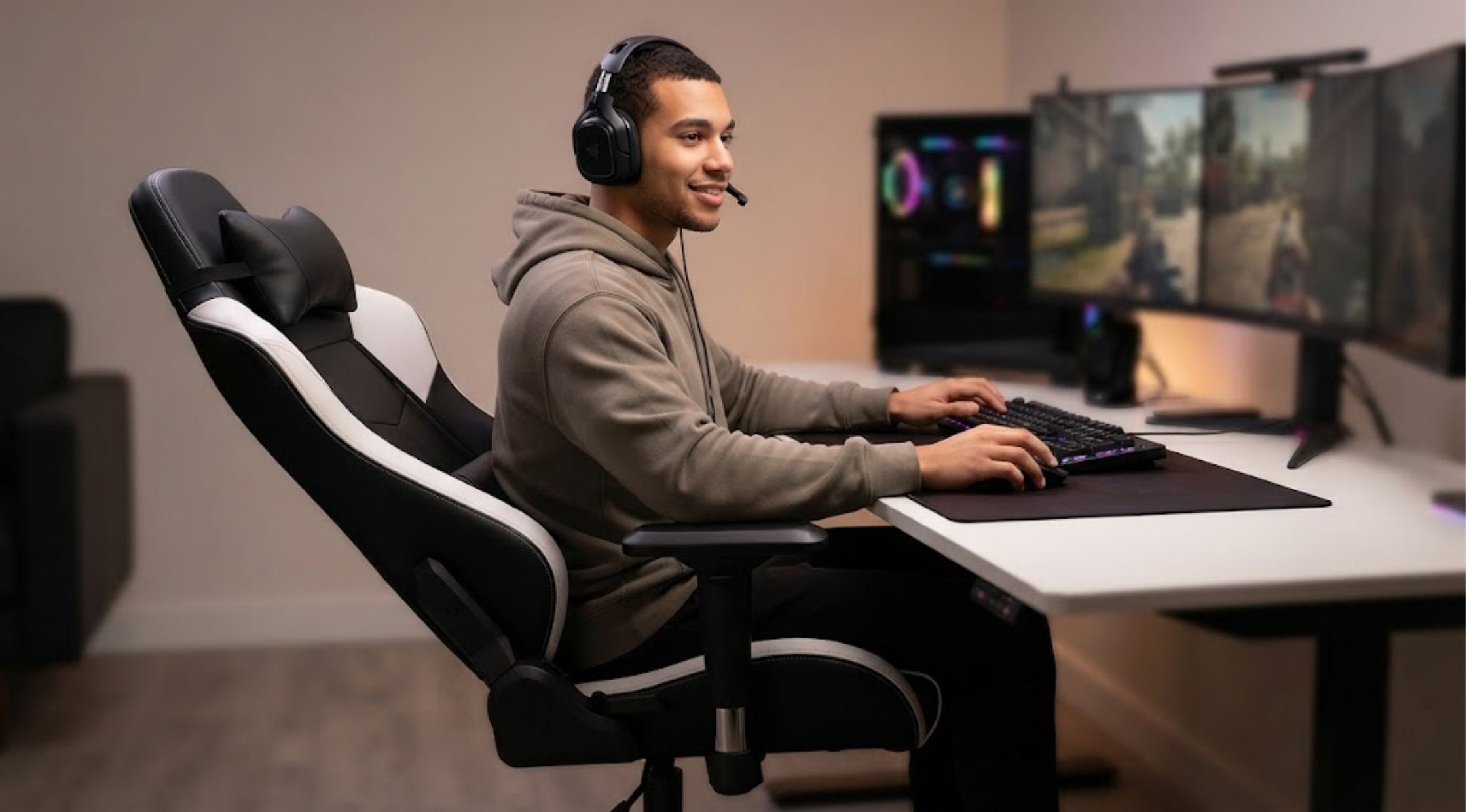
An Ergonomic Gaming Chair with adjustable lumbar support can give you more control over your sitting experience.
2. Adjustable Armrests
Your arms should be able to rest comfortably while you use your keyboard or mouse.
Four-direction or 4D armrests can provide more adjustment than basic fixed armrests. Depending on the design, you may be able to change their height, position, and angle.
This flexibility is particularly useful if your gaming and working positions are slightly different.
3. Comfortable, Supportive Cushioning
Do not judge a seat simply by how soft it feels when you first sit down.
Long-session comfort depends on the combination of cushioning and support. Some premium chairs use layered foam constructions to provide a softer initial feel while maintaining a supportive base.
Blacklyte's current Athena Pro, for example, uses upgraded dual-layer memory foam, combining a softer memory-foam layer with a denser support layer
4. Reclining and Tilting
You do not have to sit perfectly upright every second.
A good chair should allow you to change positions throughout the day. Reclining can be useful when watching videos, taking a break, or simply changing your posture between activities.
Look for a mechanism that feels smooth and stable rather than simply choosing the chair with the largest advertised recline angle.
5. A Headrest That Actually Works for You
A head pillow can be useful when it supports the right area rather than simply sitting behind your head.
Magnetic or adjustable head pillows can make positioning easier because you can move them according to your preferred sitting position.
This is another area where an Ergonomic Gaming Chair can offer more customization than a basic office or gaming seat.
When Is It Worth Investing in a Premium Chair?
You do not necessarily need the most expensive chair available.
However, if you regularly spend several hours gaming, working, streaming, or creating content at your desk, investing in better construction and adjustability can make sense.
Blacklyte currently offers gaming chairs such as the Athena Pro and Kraken Pro, with features including adjustable lumbar support, 4D armrests, memory-foam cushioning, and reclining mechanisms. The Kraken Pro also uses dynamic lumbar support designed to adapt to movement.
The important point is not simply that the chair costs more. It is that you are paying for features that can be useful every day.
If you sit in your chair for several hours, small improvements in adjustability and support can matter more than decorative features or RGB lighting.
What Can You Gain From Upgrading?
A better Gaming Chair can make your entire setup feel more comfortable and intentional.
Instead of constantly adjusting your position because something feels wrong, you can customize the chair around your body. Adjustable lumbar support can give your lower back more targeted support. Adjustable armrests can make keyboard and mouse use more comfortable. Better cushioning can help reduce pressure points, while reclining gives you more freedom to change positions.
Blacklyte also designs its chairs for uses beyond gaming, including work and content creation, which makes the investment more versatile if your desk serves multiple purposes.
The result is not about sitting completely still for hours. In fact, changing position regularly is still important. The purpose of a quality chair is to make those different positions more comfortable and supported.
Make Your Chair Fit You, Not the Other Way Around
When shopping for a Gaming Chair, resist the temptation to choose purely based on appearance.
Start with your own routine. How many hours do you spend at your desk? Do you game, work, stream, or do all three? Do you prefer sitting upright or reclining? Do you need highly adjustable armrests? Is lumbar support important to you?
Once you answer these questions, it becomes much easier to narrow down your options.
An Ergonomic Gaming Chair should give you enough adjustment to create a comfortable setup rather than forcing your body to adapt to a fixed design.
Blacklyte is one example of a brand taking this approach, with its current chairs combining ergonomic support, adjustable components, and premium cushioning for longer gaming and work sessions.
Ultimately, the best chair is the one that fits your body, your setup, and the way you actually spend your time at your desk. Take the time to compare the important features, not just the design, and your next gaming session may feel considerably different.